
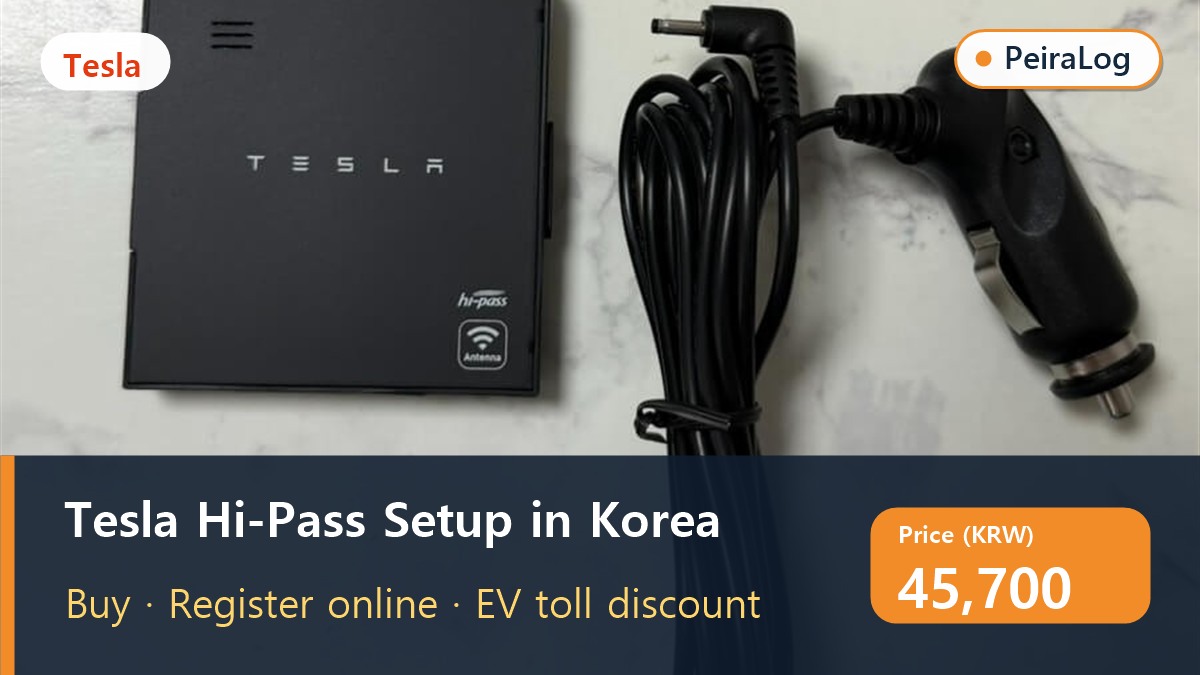
A Tesla Hi-Pass in Korea is a small black toll device that costs 45,700 won (about US$33) in Tesla’s official Korean shop, and you register it online from a PC in about 5 minutes. Hi-Pass is the electronic toll payment system on Korean expressways. I bought the MPEON SET-260 Tesla Hi-Pass for my Model Y, registered it myself, and ticked the EV discount. This guide covers where to buy it, what is missing from the box, how to install it, the step-by-step PC registration, the shrinking EV toll discount and what to do about unpaid tolls.
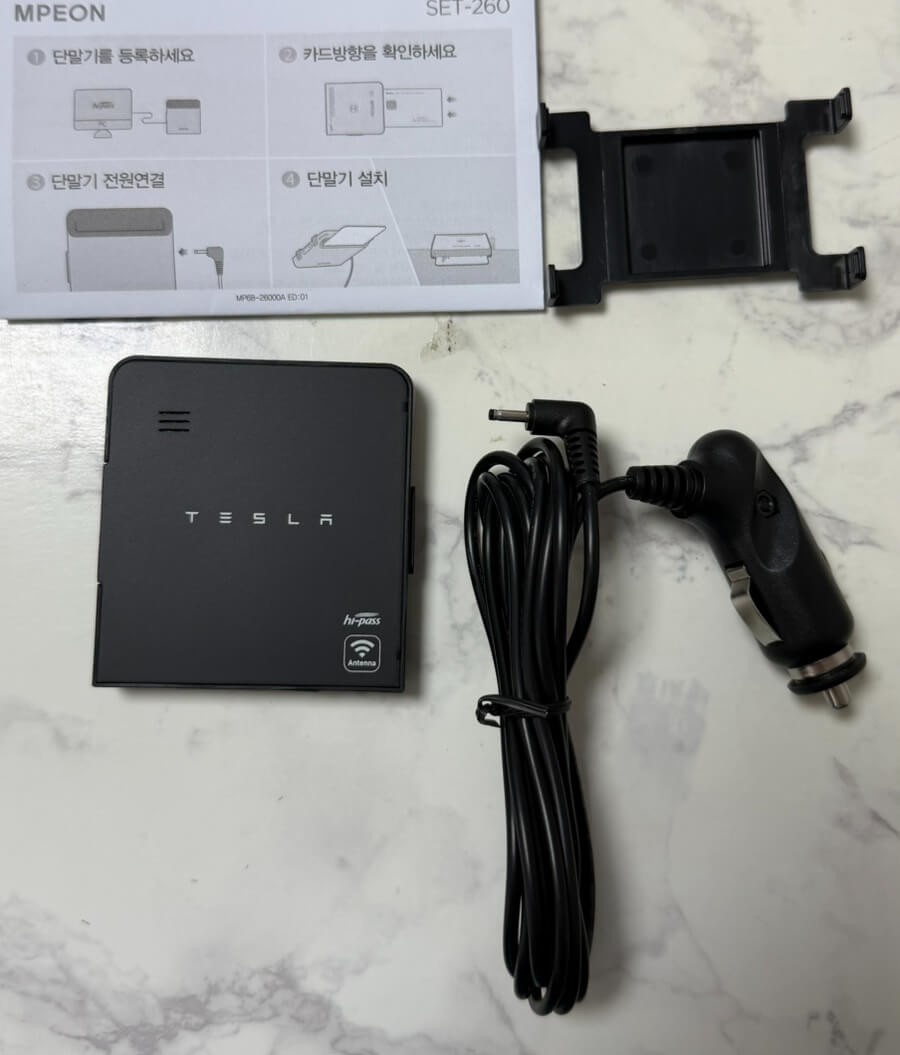
✔ Buy: MPEON SET-260, 45,700 won (about US$33) in Tesla’s official shop. It often sells out.
✔ Register: no membership needed, about 5 minutes on a PC. You must bring your own USB-C data cable and tick the “EV discount registration” box.
✔ Watch out: a brand-new car cannot be looked up on the day its registration certificate is issued. Try after 4 pm the next day. Tolls you paid without the device must be settled separately.
This is what I did and saw on my own Model Y. The official Hi-Pass website I used is in Korean, so the screenshots below show Korean screens, and I explain each one. Prices, discount rates and website steps can change, so please check the official pages. Dollar amounts are rough conversions at about 1,400 won per US dollar; the real rate changes.
목차
1. Tesla Hi-Pass in Korea at a glance
| Item | Details |
|---|---|
| Device | Tesla Hi-Pass (MPEON SET-260), with a TESLA logo on the front |
| Where to buy | Tesla service center or the shop on Tesla’s official website |
| Price I saw | 45,700 won (about US$33), often out of stock |
| Not in the box | A USB-C data cable for PC registration, and an always-on power cable if you want to hardwire it |
| Where it goes | Windshield only, in the center, at least 10 cm from the top and side edges |
| Registration | Hi-Pass website (www.hipass.co.kr), non-member registration from a Windows PC, about 5 minutes |
| EV toll discount | 50% until 2024, 40% in 2025, 30% in 2026, 20% in 2027 (until December 31, 2027) |
2. Where to buy it and how much it costs
The standard Hi-Pass that Tesla owners use is the MPEON SET-260 with a TESLA logo on the front. You can buy it at a Tesla service center or in the shop on Tesla’s official website.
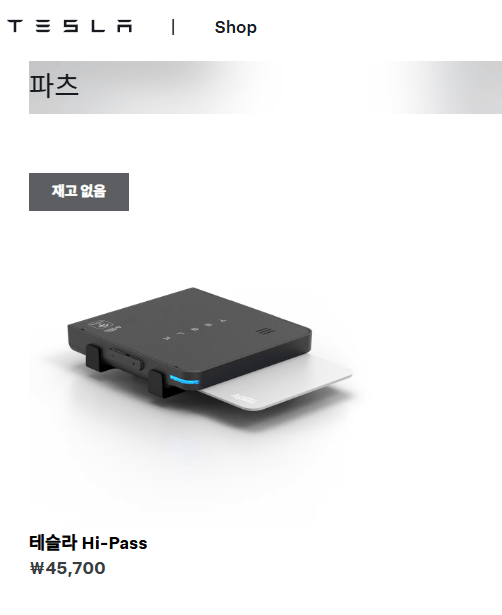
The price I saw in the official shop was 45,700 won (about US$33). In my check this was cheaper than the plain MPEON SET-260 sold on open marketplaces. It is popular and often out of stock, as the screenshot above shows (“out of stock” in Korean), so buy it as soon as it is back.
3. What is in the box and what to know before installing
The box is simple. The unit has a volume button, a power port and a USB-C port that handles both PC data and power.
- In the box: the Hi-Pass unit, a dedicated mount, a cigarette-lighter power cable and a user manual.
- Not in the box: a USB-C data cable for PC registration, and an always-on power cable if you want to hardwire the unit. Prepare them yourself.
Three installation rules every owner should know:
- No dashboard mounting. The unit is made for the windshield. Mounted in the middle of the dashboard, it may not communicate properly.
- Be careful with metallic window tint. A metal-coated film on the windshield can cause RF/IR communication problems, so check with your tint shop first.
- Keep it away from the edges. To avoid weak reception, mount it in the center of the windshield at least 10 cm from the top and side edges.
4. How to register a Tesla Hi-Pass from a PC
Register the device on a PC before you put it in the car. You do not need to be a member of the website.
Step 1: open the registration page and install the program. Go to the expressway toll website (www.hipass.co.kr). In the top menu choose Hi-Pass terminal, then USB connection, then Registration and information lookup. Download and run the communication program called exAgent. Windows is recommended.
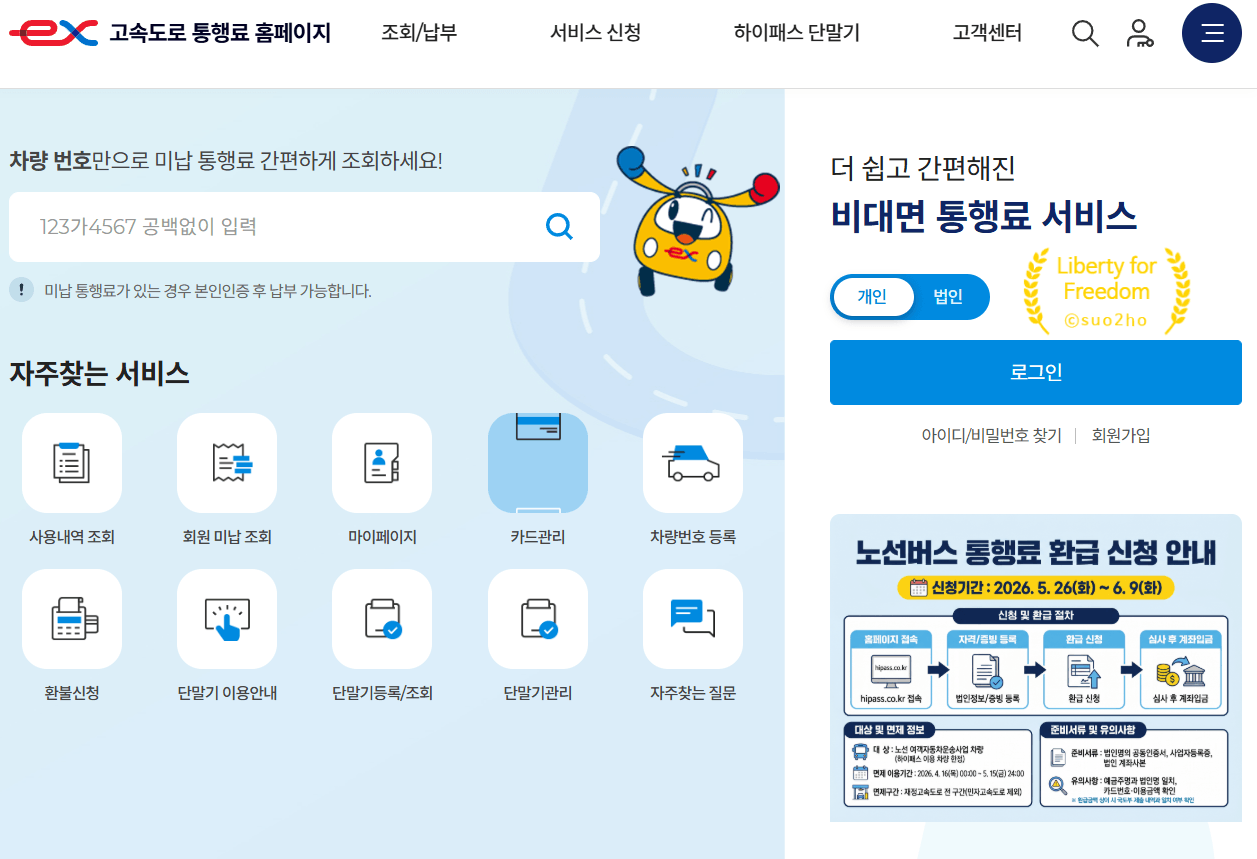
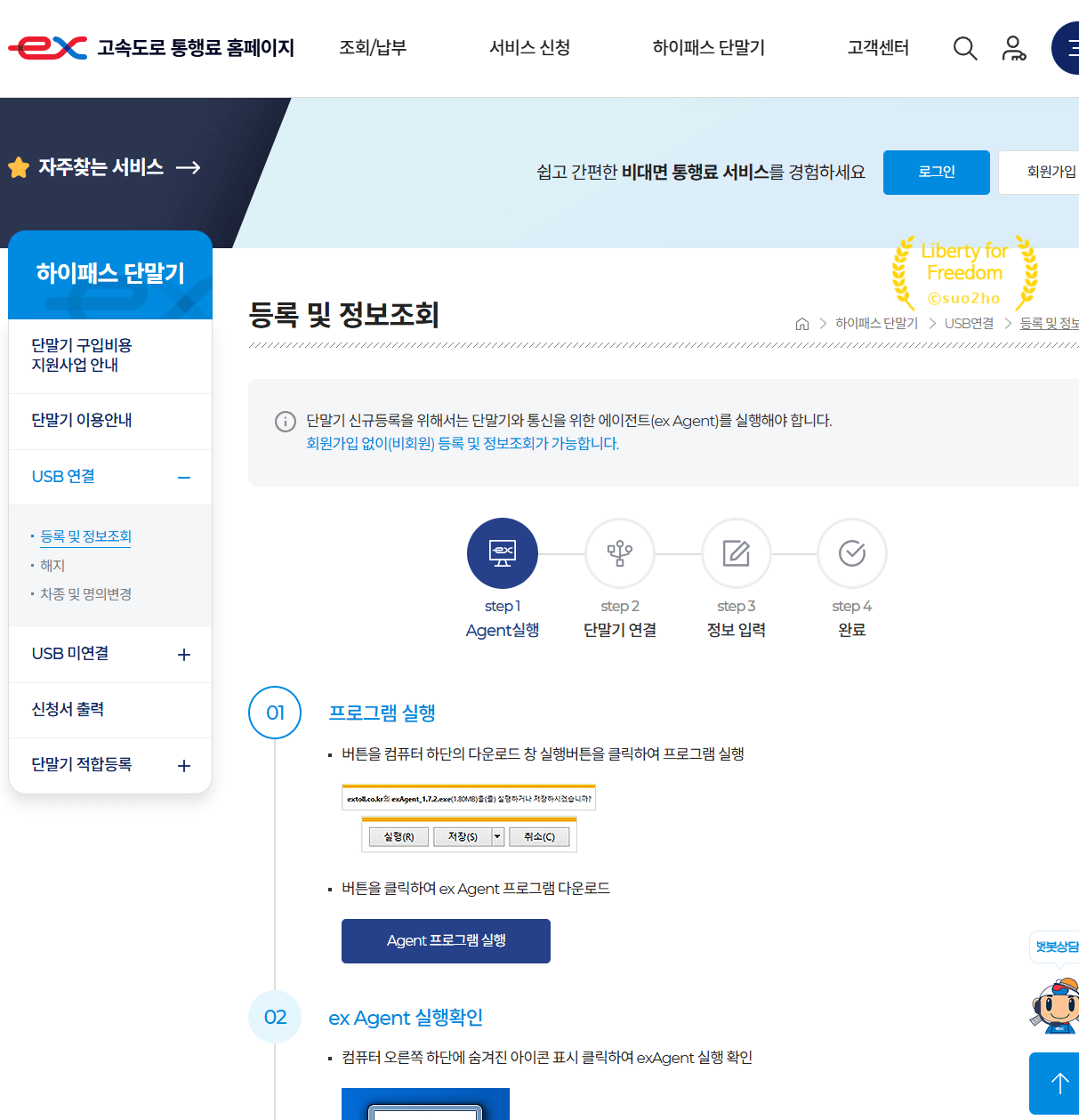
Step 2: connect the device with a USB-C data cable. Connect the device to your PC with a USB-C cable that can carry data. The device first says “not registered” in Korean. When it is recognized, it says “confirmed” and the web page moves to the next step on its own.
Step 3: enter your details and tick the EV discount. Enter the owner’s name and the license plate number, then click the vehicle information check. Confirm that your car appears correctly (mine showed Model Y Premium RWD, Class 1 private car, EV).
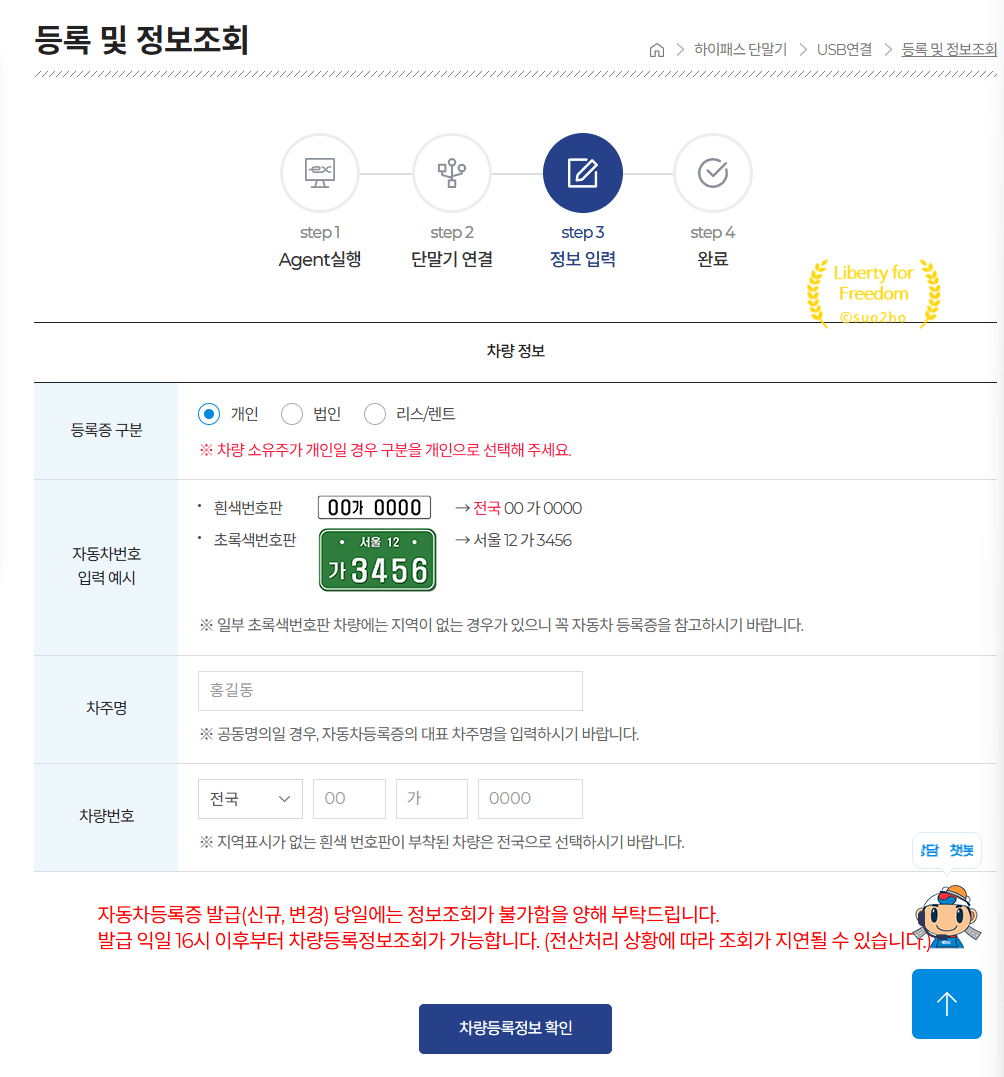
The key step: tick the “EV discount registration” button at the bottom of the screen. Without it the EV toll discount is not applied. After identity verification and agreeing to the terms, click the register button. The device says “the terminal has been issued” and registration is done.
New car owners: on the day your vehicle registration certificate is issued, the system cannot look up your car. The lookup works after 4 pm the next day. If it does not work on delivery day, try again the following afternoon.
5. The EV toll discount is shrinking
After registering, I received a KakaoTalk notice from the Korea Expressway Corporation. It said the EV and hydrogen car toll discount is being reduced step by step.
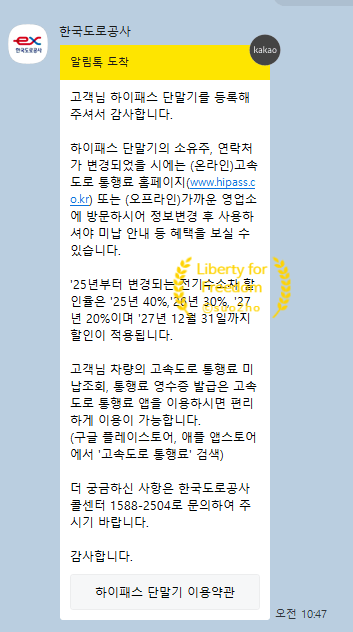
| Year | EV and hydrogen car toll discount | Note |
|---|---|---|
| Until 2024 | 50% | The old half-price discount |
| 2025 | 40% | Reduction begins |
| 2026 | 30% | The rate in force while I wrote this |
| 2027 | 20% | Planned until December 31, 2027 |
I wish I had taken delivery earlier and enjoyed the 50% discount, but I still get a discount, which is some comfort.
6. Paying tolls you owe from before the device
Before registering, I had driven on expressways without a device. If you did the same, you can pay the unpaid tolls on the expressway toll website or in its mobile app. After identity verification you can pay on the spot by credit card or bank transfer.
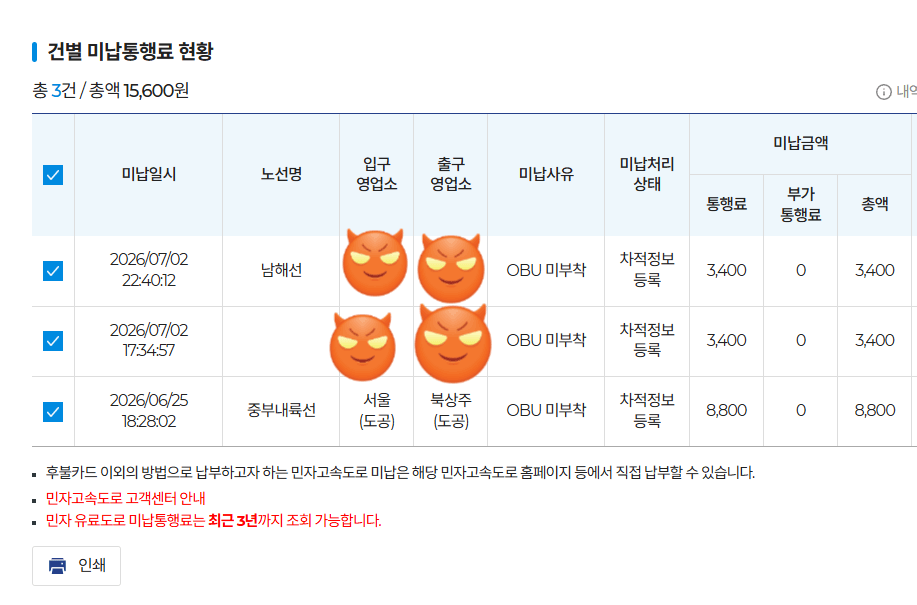
In my case the list showed 3 unpaid trips totaling 15,600 won (about US$11). The orange stickers on the screenshot cover the plate numbers and gate names.
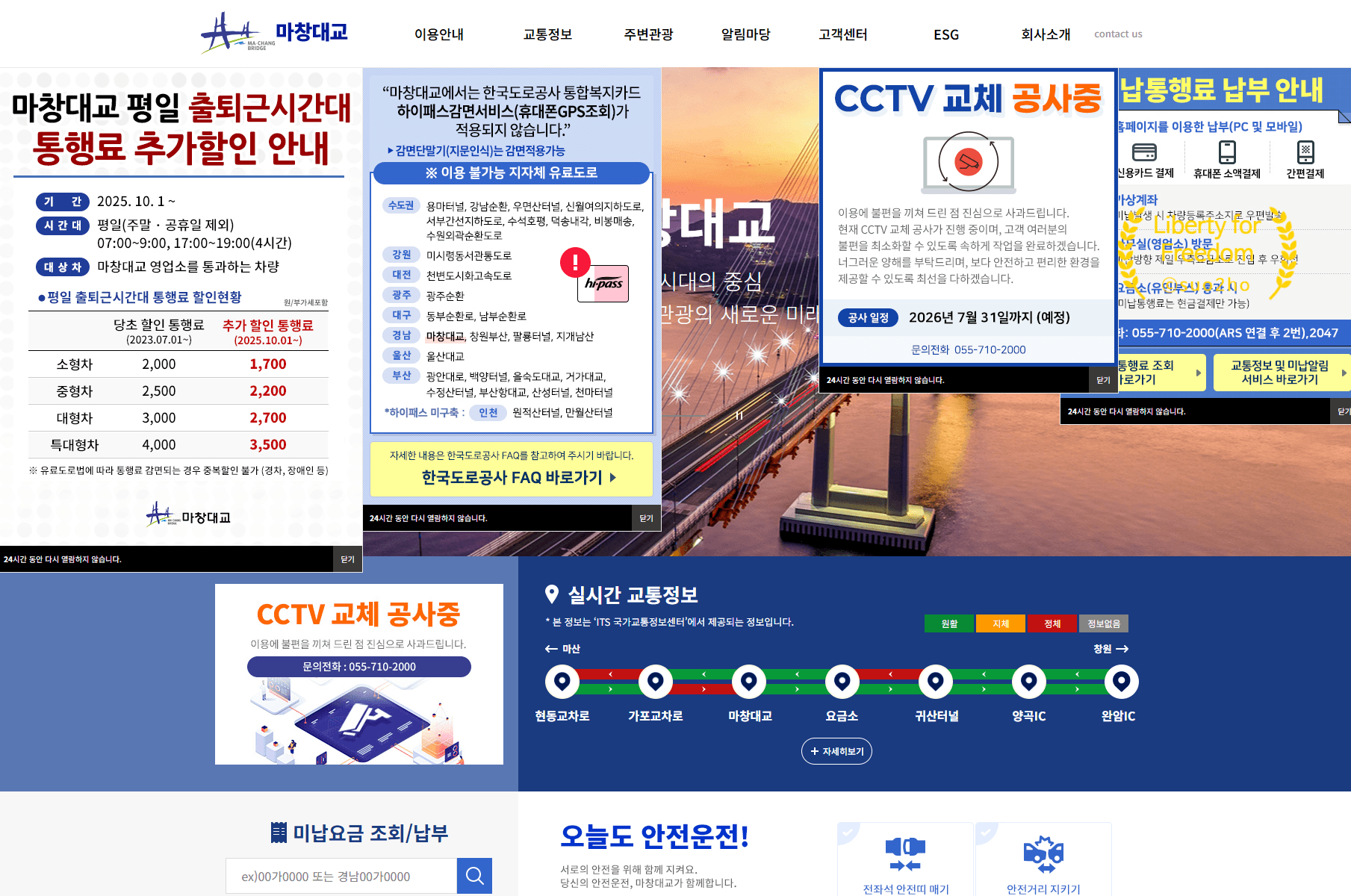
Private toll roads in the Gyeongnam region, such as Machang Bridge, are often managed separately from the Korea Expressway Corporation system. If you passed through without a device, check the “unpaid toll lookup and payment” menu on the Machang Bridge official website (www.machang-bridge.com) so that no surcharge is added.
FAQ: Tesla Hi-Pass in Korea
Q. Where can I buy a Tesla Hi-Pass?
A. At a Tesla service center or in the shop on Tesla’s official website. When I checked, the shop price was 45,700 won (about US$33), and it was often out of stock.
Q. Do I need to sign up for the Hi-Pass website?
A. No. You can register as a non-member on www.hipass.co.kr by connecting the device to a PC.
Q. What do I need to prepare for registration?
A. A USB-C cable that carries data. It is not in the box. Windows is recommended for the exAgent program.
Q. My car is new and the lookup fails. What should I do?
A. On the day the registration certificate is issued, lookup is not possible. Try again after 4 pm the next day.
Q. Is the EV toll discount automatic?
A. No. You must tick the “EV discount registration” button on the registration screen. The rate is 40% in 2025, 30% in 2026 and 20% in 2027.
Q. What if I drove on expressways without the device?
A. Pay the unpaid tolls on the expressway toll website or app after identity verification. Private roads like Machang Bridge must be checked separately.
Q. Where do I put the device?
A. On the windshield in the center, at least 10 cm from the top and side edges. Do not put it on the dashboard.
7. Verdict: five minutes at a PC, then tick the EV box
Buying the official unit, registering it from a PC and settling old tolls took very little time. The two things that matter most are bringing your own USB-C data cable and ticking the EV discount box. If you are about to take delivery of a car, remember the next-day 4 pm lookup rule, and check the discount rate for the year.
Need more details for your trip or your car? If you have questions about driving in Korea, send me a message through the contact page. I read every message and reply when I can.
👉 More from Korea
peiralog Note 🌿
Did you register your Hi-Pass yourself or at a shop, and did you remember the EV discount box?
Every Experience Becomes a Memory.
— peiraLog
🌿 See you in the next journey.